
Free & open source · MIT · Windows 10/11

Reclaim your disk.
Safely.

BitBroom is an open-source Windows cleaner engineered so it can't delete what you care about — and finds the hidden gigabytes nothing else does. No ads. No telemetry. No Pro tier.

Portable zip & SHA-256 checksums on the releases page

BitBroom
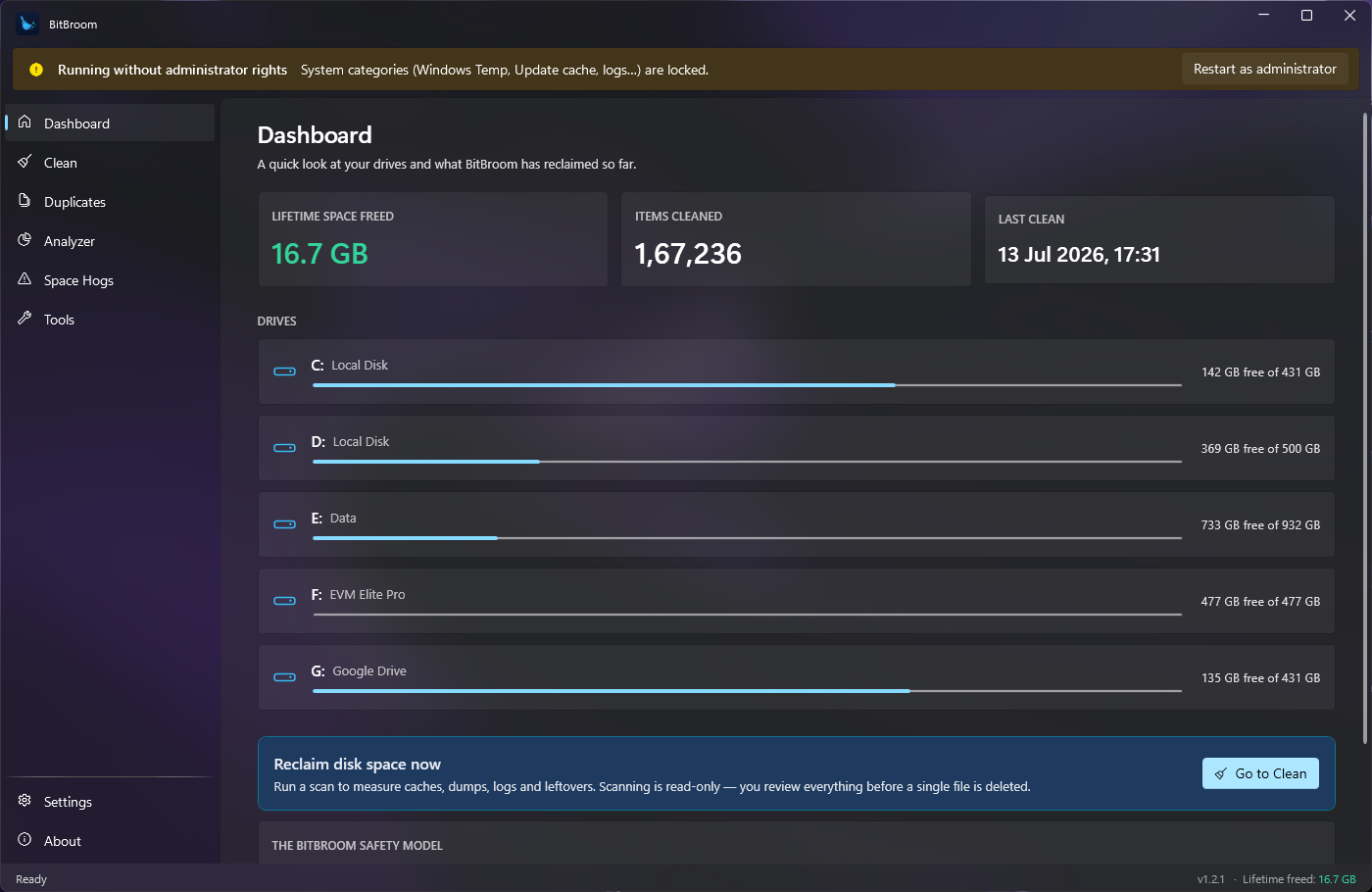
BitBroom dashboard on Windows 11 — dark acrylic UI showing drives and cleanup summary
0+researched cleanup categories
0safety & engine tests
0ads · telemetry · upsells
MITlicensed, forever free

Finds what others miss

The gigabytes behind “my C: drive filled up for no reason” aren't in your temp folder. BitBroom goes where classic cleaners don't.

Space Hogs radar

Detects the big hidden consumers: WSL/Docker disks that never shrink, the DriverStore hoarding old GPU drivers, restore points, search indexes — even the current Windows bug that eats up to 500 GB. Each finding explains the safe, supported fix.

60+ guarded categories

Windows temp, update caches, GPU shader caches, dev-tool caches, 30+ app caches — every category individually researched, age-filtered and guard-tested. Scan is always read-only; you review before anything moves.

True duplicate finder

Size, then head hash, then full SHA-256 — it never calls two files duplicates without proof. The engine itself enforces that one copy of every group survives, and everything goes to the Recycle Bin.

Disk Analyzer

“Where did my space go?” answered in seconds: parallel folder treemap, the 100 largest files, a by-type breakdown and CSV export. Junctions are never followed, so numbers are real.

One-click power tools

Compact WSL/Docker virtual disks, free up OneDrive space, remove superseded drivers, DISM component-store cleanup, hibernation control — every tool explains itself and runs the official Windows mechanism, output streamed live.

Set & forget

Scheduled cleaning through Windows Task Scheduler — no background process, no startup entry. Plus a full CLI with --dry-run and --json for scripting, per-folder exclusions, and a dev-junk finder for old node_modules.

Engineered to be incapable of hurting you

Anyone can delete files. BitBroom's entire architecture is about what it won't do.

Every deletion is…

  • Recoverable — optional Recycle Bin mode for cleans; manual deletions are Recycle Bin-only, always.
  • Audited — every single file lands in a plain-text log: what, where, how big, or why it was refused.
  • Age-filtered — fresh files are kept so running installers and open apps are never disturbed.
  • Junction-safe — reparse points are never followed. A canary test fails the build if that ever regresses.
  • App-aware — installed applications (Electron, Squirrel, per-user installs) are detected and refused on every surface, even when they look like junk.
  • Cloud-safe — OneDrive placeholders are never touched, so nothing ever hydrates or deletes from the cloud.

And it flat-out refuses…

  • Registry “cleaning” — placebo with real risk. Never.
  • Browser passwords, cookies or history — that's your data, not junk.
  • C:\Windows\Installer — breaking it breaks app repair and uninstall.
  • Forced deletion of locked, in-use files.
  • “RAM boosters”, “gaming modes” and other snake oil.
  • Phoning home — the engine has zero network code. The only network call in the app is the optional update check.

Don't trust claims — it's MIT-licensed. Read the safety model or the code itself.

Native Windows 11 look, wall to wall

Fluent design, your wallpaper's acrylic glow, and buttery motion — it feels like it shipped with Windows.

BitBroom
BitBroom screenshot

Get your gigabytes back

Free forever. About a minute to install. Instantly reversible.

SHA-256 checksums · Windows 10 & 11 · x64 & ARM64 · no account, no bundleware